

Troubleshooting a power station that refuses to charge can be frustrating, especially during an emergency or outdoor trip. Understanding the common reasons for charging failure helps prevent damage and ensures reliable energy whenever it is needed. Many issues can be resolved by following simple checks and maintenance routines, without needing advanced technical knowledge. Taking a structured approach can save time, protect devices, and maintain peace of mind. In this article, practical steps are outlined to identify and resolve charging issues effectively.
1. Check the Basics First
Inspect Power Cords and Connections
Loose or damaged cords are a frequent cause of charging problems. Carefully examine the charging cable for frays, cuts, or bent connectors that could interrupt power flow. Ensuring that the connection to the wall outlet or power strip is secure is equally important. Sometimes, replacing the cord or reconnecting it firmly can restore charging functionality instantly. Simple inspections often resolve issues that may seem more complicated at first glance.
Try a Different Wall Outlet or Power Source
Occasionally, the problem lies with the outlet rather than the power station itself. Testing another wall socket, power strip, or even a different building location can quickly isolate the source of the issue. If the power station charges successfully on a new outlet, the previous source may have tripped a breaker or experienced an interruption. Confirming the reliability of the power source prevents wasted troubleshooting efforts. Keeping alternative outlets or extension cords handy is practical for both home and travel use.
2. Verify the Charging Input
Ensure You’re Using the Correct Charging Port
Many modern power stations have multiple input options, including AC, DC, and solar. Using the wrong port or connector may prevent charging entirely. Consult the user manual to confirm the correct port and cable for your specific power station model. Matching voltage and current specifications ensures safe and effective charging. Proper port selection also protects internal circuits and prevents unnecessary wear on the device.
Check Solar Panel Connections and Sunlight if Applicable
For solar charging setups, inadequate sunlight or poor connections are common problems. Make sure solar panels are oriented toward direct sunlight and that cables are fully connected to the input ports. Dirt or dust on panels can reduce efficiency and slow charging. Verifying these conditions often restores the expected charging speed. Regularly inspecting panels during outdoor use keeps the system functional during extended trips.
3. Look for Error Indicators
Check the Display for Error Codes or Alerts
Modern power stations often have LCD screens or indicator lights that signal issues. Error codes may point to overcurrent, temperature problems, or battery faults. Observing these alerts allows users to take corrective measures quickly. Referencing the manual for each code helps identify the underlying problem accurately. Being aware of error indicators improves overall safety and protects the longevity of the power station.
Listen for Unusual Sounds or Feel for Overheating
Buzzing, clicking, or unusual mechanical sounds may indicate internal faults. Similarly, excessive heat during attempted charging can signal a malfunctioning component or an overtaxed battery. Monitoring these signs early helps prevent permanent damage. If any of these symptoms are noticed, it is advisable to halt charging immediately. Maintaining attention to sensory cues complements the technical checks on the display.
4. Perform a Simple Reset
Power Cycle the Unit by Turning it Off and On
Resetting a power station can resolve temporary glitches that interrupt charging. Turning the device off, waiting a few minutes, and powering it back on often clears minor software or battery management errors. This step is safe and does not affect stored energy. Power cycling is a first-line action before attempting more complicated troubleshooting. Regular use of this method can prevent minor issues from escalating.
Try a Full System Reset According to the Manual
If simple power cycling does not work, a full system reset may be necessary. Following the instructions in the manual ensures that the reset is done safely. This process typically recalibrates the battery management system and resets error indicators. A proper reset can restore normal operation without external repairs. Knowing when and how to execute this step adds confidence in handling the device.
5. Assess the Battery Health
Check if the Battery Has Been in Deep Discharge
Repeated deep discharges can reduce a battery’s ability to accept a charge. Checking the recent usage patterns and ensuring the unit has not been left fully depleted for long periods is critical. Preventive maintenance, like charging before a complete drain, prolongs battery life. Awareness of these patterns helps in planning daily usage and emergency readiness. Maintaining healthy charging habits is an essential part of power station care.
Look for Signs of Physical Damage or Swelling
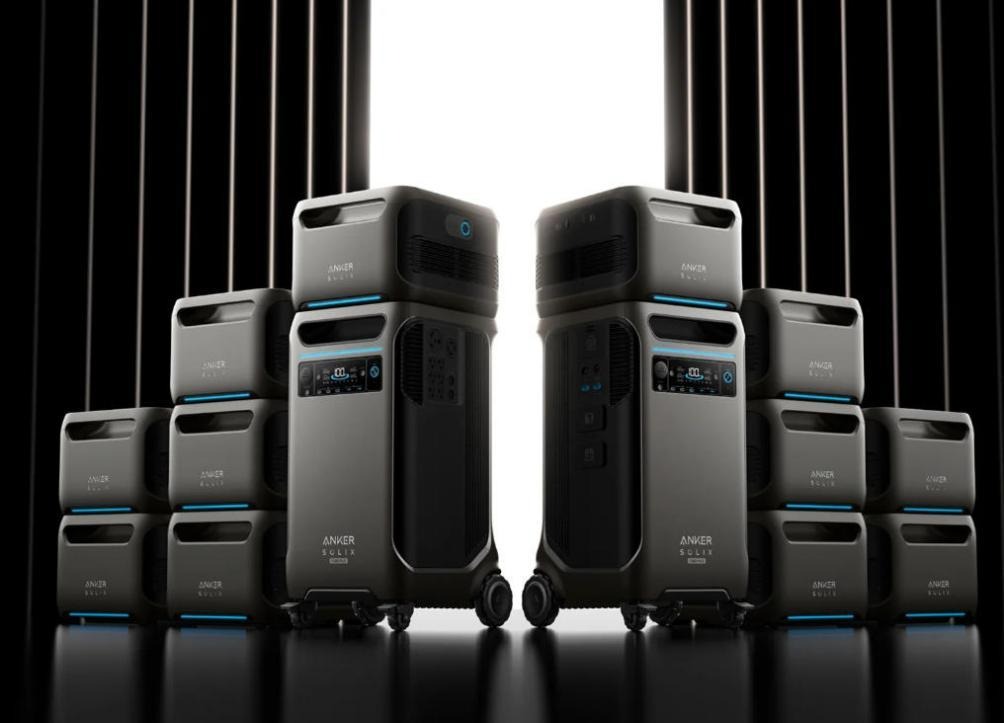
Visual inspection of the battery casing may reveal swelling, punctures, or other physical damage. Such conditions indicate that the battery is compromised and should not be used further. In some cases, replacing the unit with a new, reliable model is safer than attempting repair. Updating to an Anker SOLIX Portable Power Station in these situations can provide consistent, dependable energy with built-in safety systems. Investing in a high-quality replacement avoids repeated charging issues and ensures reliable power during critical moments.
Conclusion
Troubleshooting a power station that won’t charge involves a series of practical checks, including cords, ports, error indicators, resets, and battery assessment. Many problems can be resolved at home, but persistent issues or damaged batteries require professional attention or replacement. In certain scenarios, replacing old or faulty equipment with an Anker SOLIX Portable Power Station is a practical solution. Its versatile ports, robust battery management, and high-quality construction make it a reliable choice for home, travel, or outdoor use. Being familiar with these steps and options ensures that your portable power station remains a dependable source of energy when it is needed most.